Cheap vs premium websites: what is the difference?
Six criteria that separate a cheap website from a premium one: structure, content management, speed, mobile display, design and warranty policy.
Have you ever wondered why some companies are willing to invest heavily in a website, while others spend very little? How do those two websites differ, and which is the right choice for your business? Here are the six criteria Twinger uses to tell a cheap website from a premium one.
1. Website structure

A cheap website usually takes a ready-made design (a theme) and swaps in the text and images. The layout therefore follows the theme’s template, not the way the business sells, and many websites in the same industry end up looking identical.
A premium website starts from strategy: who your customers are, what they need to know to make a decision, which pages lead to an enquiry. Only then is the sitemap drawn up and the design created in the brand’s own style.
2. Content management

A good website lets your team edit content themselves without calling a developer: adding products, posting news, changing images, updating prices. A rushed website often has a messy admin area where fixing one thing breaks another, or content that is hard-coded into the source.
When comparing, ask directly: which parts can I edit myself, and is there documentation and a training session?
3. Website speed

Ready-made themes usually come with a large number of features and plugins so they can sell to many buyers, which makes pages heavy and slow. Speed directly affects whether visitors stay, and it is one of the signals Google uses for ranking. A custom-built website loads only what it needs, with images compressed to the right size.
4. Optimised for mobile (responsive)

Most visitors today come from phones. “Responsive” is not just shrinking the page to fit the screen: menus, buttons, price tables and sign-up forms all need to be redesigned for fingers and small screens. A premium website has its design approved on both desktop and mobile before development.
5. Website design
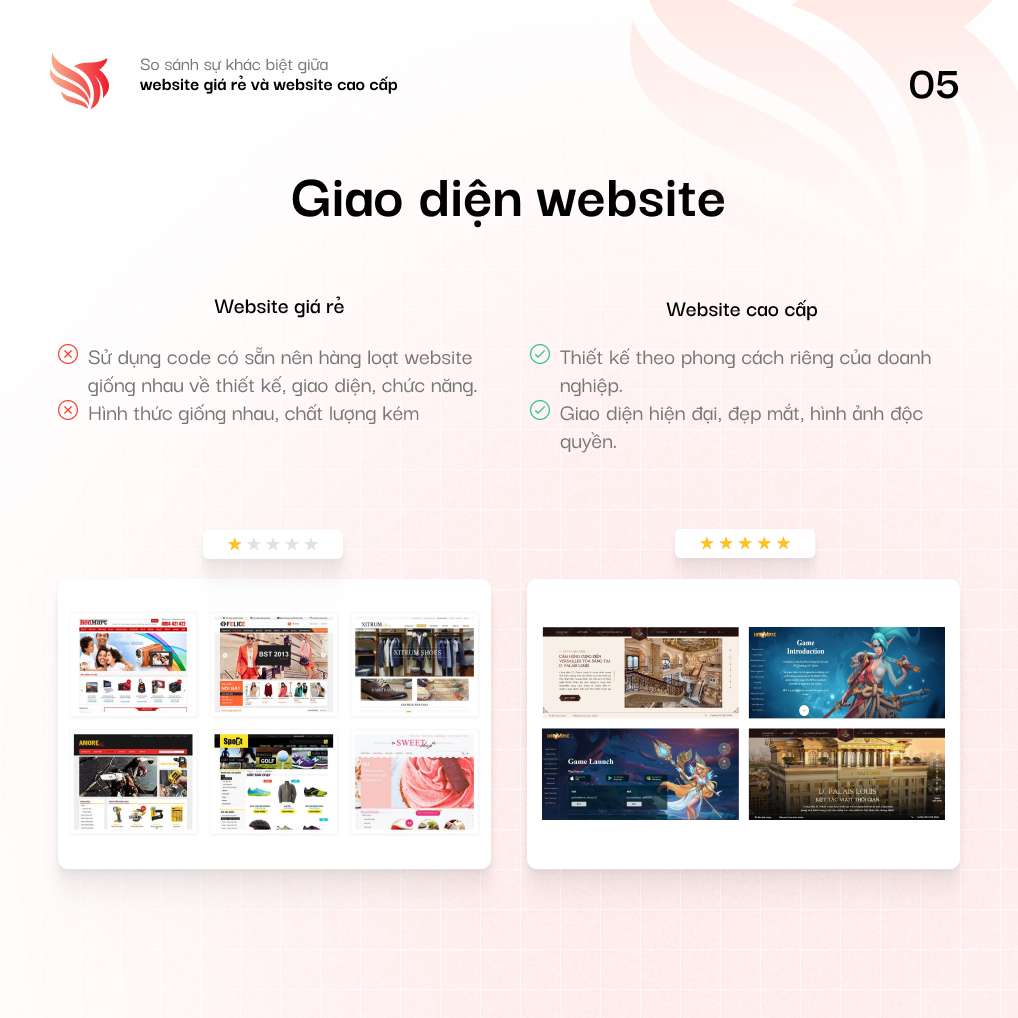
The design is the first impression of the brand. A premium website uses the exact colours, typefaces and imagery of the brand identity, and effects are placed deliberately to tell a story, not for decoration. A cheap website usually relies on stock images and built-in effects, which makes it hard to stand out.
6. Warranty policy

A website needs looking after once it has launched: bug fixes, version updates, backups, security. Ask clearly how long the warranty lasts, what it covers, and who handles maintenance afterwards. Another important point: whether the source code, domain, hosting and admin accounts are handed over and registered to your company.
So which should you choose?
You do not always need a premium website. If you need to get online quickly with simple content, a carefully built website on a ready-made design is enough. When the website is your main sales channel or the face of your brand in front of major partners, investing in a bespoke design usually pays off better in the long run.
To understand why costs differ, read what website design cost depends on, or see Twinger’s two approaches (tailor-made and from our library of ready-made designs) on the Website design page.